
How to turn on the cart drawer in the Horizon theme
Horizon, Shopify's free theme, has a cart drawer built in. It's not on by default: out of the box, Horizon uses the cart page. Here's how to switch, what you get, and what to do if you need more than it offers.
Turn on Horizon's cart drawer
- In your Shopify admin, go to Online Store, then Themes, and click Edit theme on Horizon.
- Open Theme settings and click Cart.
- Set Type to Drawer. The default is Page, which sends shoppers to /cart. Horizon has these two options and no popup notification.
- Optionally turn on "Add to cart" auto-opens drawer. It's off by default, and it only shows once Type is set to Drawer.
- Save.
These steps match Horizon 4.5.0, released in November 2026.
What Horizon's cart includes
The same panel has a Cart features group. The drawer and the cart page share these settings:
- Allow note to seller: a note field for order instructions, off by default
- Allow discounts in cart: a discount code field in the cart, on by default
- Show Shop Pay payment options: Shop Pay Installments and HSA/FSA badges when available
- Accelerated checkout buttons: buttons such as Shop Pay, on by default
- Empty cart button link: where the button in an empty cart leads
What it doesn't do
- No free shipping progress bar in the cart settings
- No free gifts, so a gift offer still depends on shoppers adding the gift themselves
For plenty of stores that's enough. If you want the drawer to do more of the selling, you can edit Horizon or use a cart app.
Option 1: edit Horizon's code
The drawer is built in snippets/cart-drawer.liquid and snippets/cart-summary.liquid. You can add a progress bar there, but code edits don't carry over to a new version of Horizon by themselves, so you'll redo them when you update. Duplicate the theme before editing, and keep a note of what you changed.
Option 2: replace it with a cart drawer app
Our app, Desiign Cart Drawer & Gifts, replaces the theme's cart drawer with its own and shows the same cart on /cart. It's built to work with any Shopify theme. If something doesn't work with yours, send us a message.
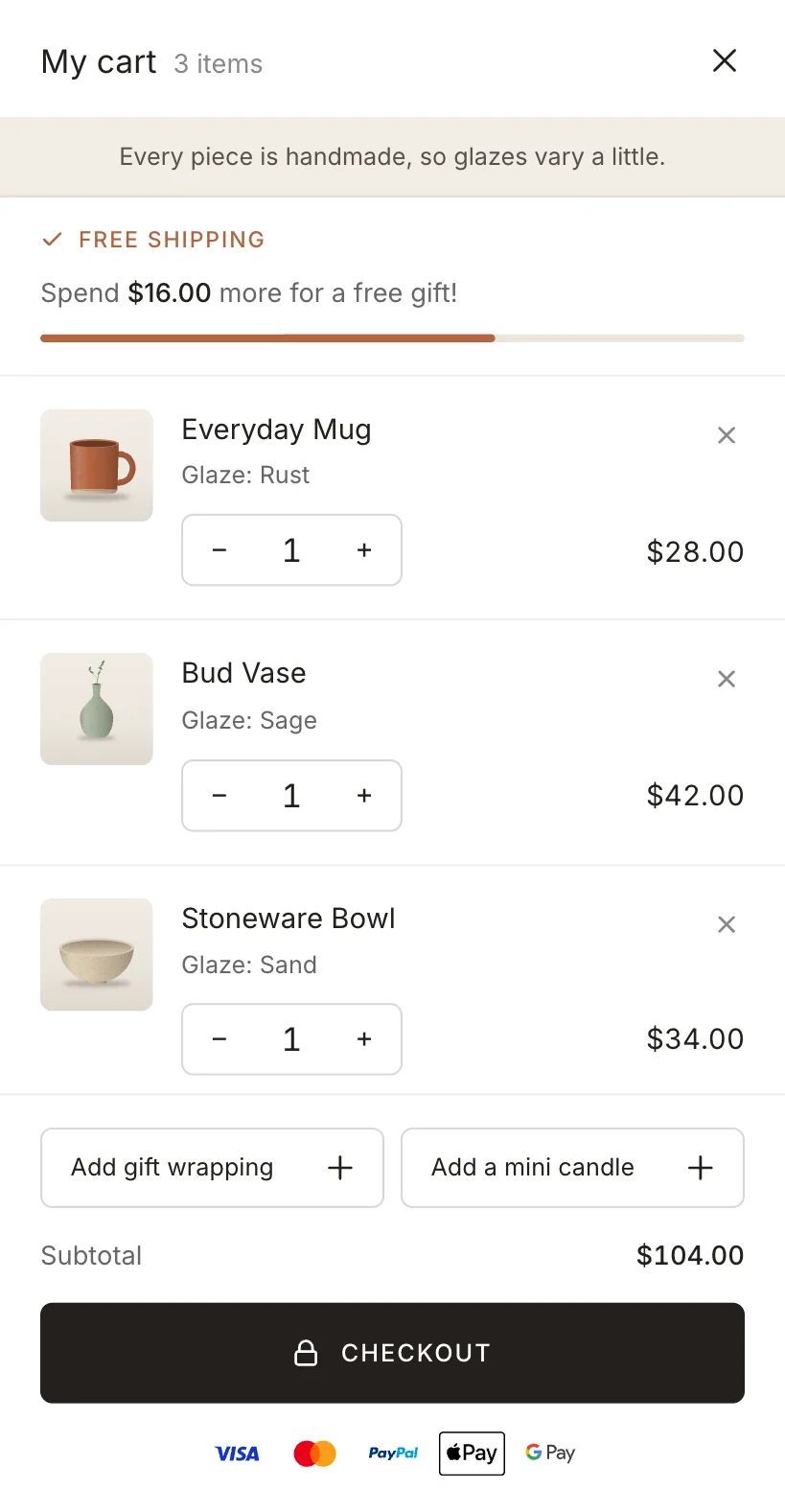
What it adds:
- A free shipping bar that reads your own shipping rates, per country
- Free gifts the shopper picks in the drawer
- One-tap add-ons above the checkout button
- Payment icons and a row of store promises
- Two designs, in your colors and your store's font
- On Pro: Buy X Get Y offers and volume discounts
To set it up, install the app, turn on its app embed in the theme editor (the app links you straight to it), and add your goals on the Gift tiers page. The free plan has no order limits.
More about the app: the free shipping bar and free gifts with purchase, or the setup docs.